|
|
|
|
|
|
|
Download Demonstration
| Please note, three downloads below are for the demo purpose only. The jar files are fully obfuscated, including public APIs. Using them as API library will not work. If you wish to evaluate JIDE APIs, please download the evaluation package below. |
|
Demo for all JIDE Products (including JIDE Common Layer)
Download now
(JDK 5 and above required. Size: 33.7 MB)
This is a demo for all JIDE products including the demos for JIDE Common Layer.
Last update on April 28, 2018
|
|
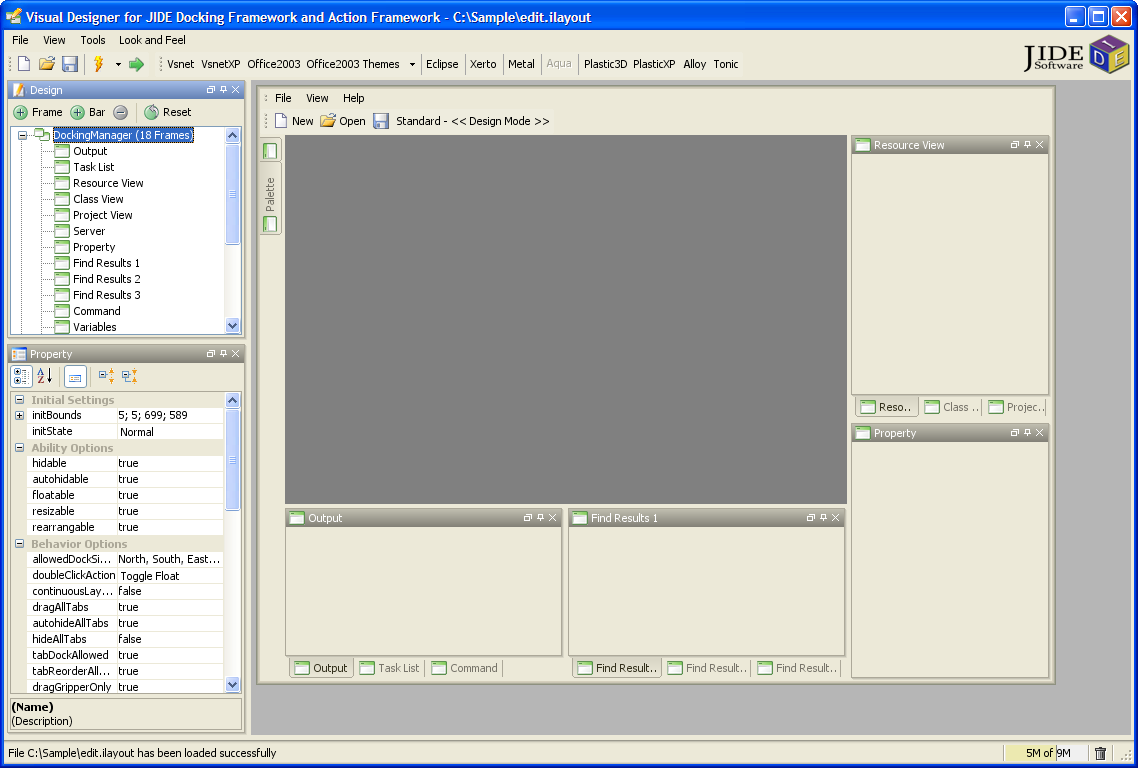
Visual Designer for JIDE Docking Framework and JIDE Action Framework
Download now
Screenshot
(JDK 6 and above required. Size: 5.16 MB)
Last update on April 28, 2018
|
|
Application Wizard for JIDE Desktop Application Framework (JDAF)
Download now
(JDK 5 and above required. Size: 3.83 MB)
Last update on April 28, 2018
|
|
If you don't have Web Start installed before, you can get it from
Oracle's website. The demo is compiled using JDK5. That's why it runs only under JDK5 and above. |
Flash Demo
Create a complex application framework using JIDE in 10 minutes
Last update on June 24, 2005
|
 |
Exploring JIDE LookAndFeel Styles
Last update on June 24, 2005
|
|
Customize NetBeans GUI Builder to use JIDE Components
Last update on November 27, 2006
|
|
If you don't have Flash Player installed before, it will prompt you to download and install it.
|
Download Developer Guides
JIDE Common Layer Developer Guide
(Open Source)
Last update on September 14, 2012 |
Download now |
JIDE Docking Framework Developer Guide
Last update on September 14, 2012 |
Download now |
JIDE Action Framework Developer Guide
Last update on September 14, 2012 |
Download now |
JIDE Components Developer Guide
Last update on September 14, 2012 |
Download now |
JIDE Grids Developer Guide
Last update on September 14, 2012 |
Download now |
JIDE Dialogs Developer Guide
Last update on September 14, 2012 |
Download now |
JIDE Shortcut Editor Developer Guide
Last update on September 14, 2012 |
Download now |
JIDE Pivot Grid Developer Guide
Last update on September 14, 2012 |
Download now |
JIDE Data Grids Developer Guide
Last update on September 14, 2012 |
Download now |
JIDE Code Editor Developer Guide
Last update on September 14, 2012 |
Download now |
JIDE Feed Reader Developer Guide
Last update on September 14, 2012 |
Download now |
JIDE Dashboard Developer Guide
Last update on September 14, 2012 |
Download now |
JIDE Charts Developer Guide
Last update on September 14, 2012 |
Download now |
JIDE Gantt Chart Developer Guide
Last update on September 14, 2012 |
Download now |
JIDE Diff Developer Guide
Last update on September 14, 2012 |
Download now |
JIDE Developer Guide for Web Start and Applet
Last update on September 14, 2012 |
Download now |
JIDE Desktop Application Framework Developer Guide
Last update on September 14, 2012 |
Download now
|
| |
|
|
|
Download Evaluation Package
Impressed by the demo? If so, why not start by integrating your application with our evaluation package? We have prepared a fully functional evaluation package for your convenience. The package includes product developer guides, and complete javadoc for public APIs. In addition, it includes over 70 examples with source code showing you how to use each of our components. To make it even easier for you, we include project files for major Java IDEs such as IntelliJ IDEA, JBuilder, NetBeans, and Eclipse, as well as an ant script to run these examples.
Registration on the
JIDE Developer's Forum is required in order to download the evaluation package. The "Pre-sales Support" forum provides a place for non-customers to discuss various issues and get help. Once you have the evaluation package, in just a few hours, you will have a polished user interface for your Swing application. What are you waiting for? If you have any questions during your evaluation, you can either post them on the forum, or send
support@jidesoft.com an email.

(Password required. Click
here to see the password. Please note, it's not your forum user name and password)
|
|
Customer Download Area
(Password required. User name is your email address and password is the email authorization code. You should have received the email authorization code in the email we sent to you after you purchased our products)
|
|
|
|
|
|
|
|